Need help with a DoorDash order, refund, missing item, account problem, or DashPass charge? DoorDash Customer Service provides several ways for U.S. customers to get assistance, including phone support, in-app help, live chat, and automated order support.
For most customers, the fastest option is to open the DoorDash app, select the affected order, and choose Help. This connects your request directly to the order details and may provide an immediate self-service resolution or an option to chat with support.
If you would rather speak with someone, the official DoorDash U.S. consumer Help Center currently lists the DoorDash Customer Service number as 855-431-0459. DoorDash says its chat and call support are available 24 hours a day, seven days a week.
Quick Answer
DoorDash Customer Service phone: 855-431-0459
Availability: 24/7 according to DoorDash’s U.S. Help Center
Best option for an active order: DoorDash app → Orders → select order → Help
Online support: DoorDash Help Center
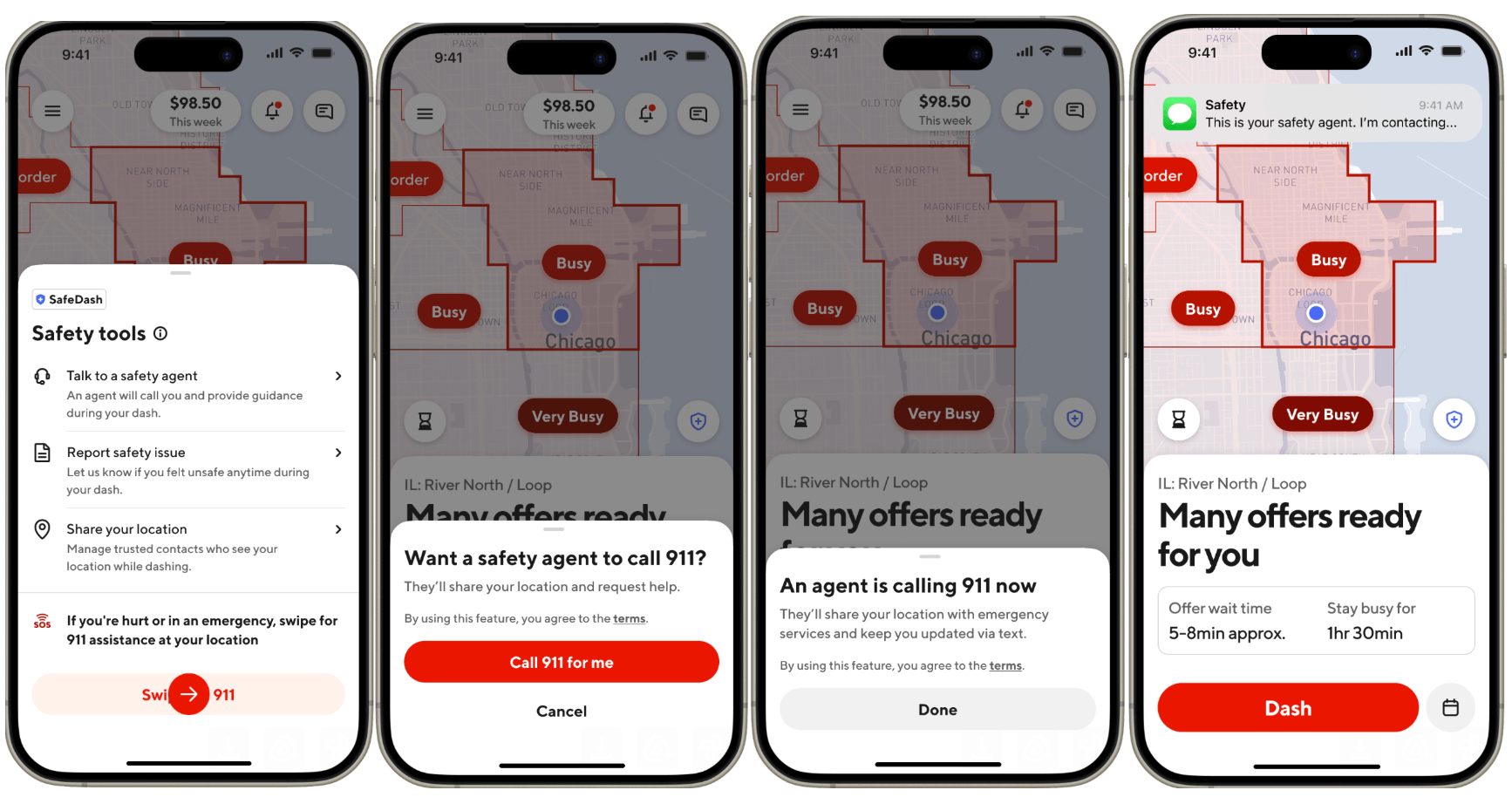
Emergency: Call 911 for an immediate safety emergency.
Because contact information can change, confirm phone numbers through DoorDash’s official Help Center before sharing payment or account information with anyone.
DoorDash Customer Service Contact Options
There is no single best support method for every problem. Someone waiting for a late dinner has different needs from a customer checking a refund from last week.
Here is a quick comparison.
| Contact Method | Best For | Availability/Speed |
|---|---|---|
| Phone: 855-431-0459 | Urgent problems or customers who prefer speaking with an agent | DoorDash lists call support as 24/7 |
| DoorDash app | Current and previous orders | Usually the best starting point |
| Live chat | Order changes, account questions and issues needing an agent | Available through DoorDash support flows |
| Automated help | Missing orders, incorrect items and common delivery problems | Often provides the quickest resolution |
| Help Center | Instructions, DashPass, account, payment and troubleshooting questions | Available online anytime |
DoorDash’s official support site separates assistance into categories such as orders, payments, account management, troubleshooting, promotions, DashPass and alcohol orders.
That makes the Help Center useful when you know the type of problem but do not necessarily need a phone conversation.
How to Call DoorDash Customer Service?
Customers who want phone assistance can currently call 855-431-0459.
This number appears on DoorDash’s official U.S. Customer Support pages and on DoorDash’s investor-contact page for consumers, Dashers and merchants seeking support.
Before contacting DoorDash Customer Service, prepare:
- Your DoorDash account email or phone number
- Order number or affected order
- Restaurant or store name
- Approximate order time
- Amount charged
- Screenshots if something unusual appeared in the app
- Photos of incorrect or damaged items when relevant
Having this information available makes it easier to explain the problem and can reduce back-and-forth with the support representative.
When calling is a good choice?
Phone support may be useful when:
- Your problem cannot be resolved through automated help
- You cannot access your DoorDash account
- A billing issue requires additional explanation
- You have already tried self-service support without success
- Your issue involves several orders
- You need clarification about a previous support decision
For an active delivery, however, checking the order inside the app first can be faster because DoorDash can immediately associate the problem with the correct transaction.
How to Contact DoorDash Customer Service Through the App?
For many order-related problems, the app is the most useful place to start.
For a typical order issue:
- Open the DoorDash app.
- Go to Orders.
- Select the affected order.
- Tap Help.
- Choose the problem that most closely matches your situation.
- Follow the self-service prompts.
- If the issue is not resolved, select the available option to contact support or chat with an agent.
DoorDash uses similar support paths for problems such as an order that never arrived, missing items and incorrect food.
Using the order-specific help menu is valuable because your order information is already attached to the support request.
How to Use DoorDash Customer Service Live Chat?
Customers who prefer typing instead of calling can use DoorDash’s chat support.
For a current order, open the order and choose Help. DoorDash may provide self-service options first, followed by the ability to connect with support when necessary.
DoorDash specifically states that a live support agent can be reached through the website or mobile app for certain order adjustments. On the website, users can choose the order under Delivery Help and select the option to chat with support.
Live chat is particularly useful when you need to:
- Explain a missing item
- Discuss an incorrect order
- Ask about an order adjustment
- Provide written details
- Keep a record of the conversation
- Resolve a non-emergency account issue
If screenshots or photos help prove the problem, keep them ready before starting the conversation.
Which DoorDash Customer Service Method Should You Use?
Choosing the right support route can save time.
| Your Problem | Recommended First Step |
|---|---|
| Order is late | Check live order tracking |
| Dasher cannot find you | Contact the Dasher through the order screen |
| Missing item | Orders → Help → Missing or incorrect items |
| Entire order never arrived | Orders → Help → Order never arrived |
| Wrong food received | Report the problem through the order |
| Need to cancel | Use Cancel Order under Help |
| Refund has not arrived | Check refund status, then contact support if overdue |
| DashPass issue | Manage DashPass/account support |
| App not working | Troubleshoot app, then use web/phone support |
| Account may be compromised | Change password immediately and contact support |
| Immediate physical danger | Call 911 |
This issue-based approach is more useful than automatically calling DoorDash Customer Service for every situation.
DoorDash Customer Service for a Late Order
If your order is taking longer than expected, first check its status before contacting an agent.
DoorDash says customers can open the Orders section to view the current status, estimated arrival and, once a Dasher is assigned, the delivery driver’s location. Customers may also be able to call or text the Dasher from the order screen.
Common reasons for delays can include:
- Restaurant preparation taking longer
- Heavy traffic
- A required detour
- Difficulty finding the delivery address
- Delays assigning a Dasher
If the order has passed the expected delivery time, use the order’s Help option to report the delay.
Do not repeatedly call the Dasher
Remember that Dashers may be driving. DoorDash specifically notes that a Dasher may not immediately respond while on the road.
Use DoorDash Customer Service when the delivery status no longer makes sense or the issue cannot be resolved directly through order tracking.
Missing or Incorrect DoorDash Order Items
Missing or incorrect food is one of the most common reasons customers seek support.
DoorDash recommends:
- Open Orders.
- Select the affected order.
- Tap Help.
- Select Missing or incorrect items.
- Identify the affected item.
- Follow the prompts.
Depending on the circumstances, DoorDash says its self-help system may offer options including a DoorDash credit, refund or redelivery when available.
Take photos before throwing anything away
DoorDash recommends providing clear photographs when evidence is relevant. Useful images may include:
- The items you actually received
- The opened delivery bag
- The printed receipt, if included
- A screenshot of the digital receipt
- A clearly incorrect item
- Damaged food or packaging
Good documentation makes it easier for DoorDash Customer Service to understand what happened.
What If Your DoorDash Order Says Delivered but Never Arrived?
If the app says the order was delivered but you cannot find it, first check:
- Front door
- Side or back entrance
- Building lobby
- Reception desk
- Apartment entrance
- Delivery photo
- Messages from your Dasher
If the order is still missing, report it directly through the app.
DoorDash’s current instructions are:
Orders → affected order → Help → Delivery Issues → Order never arrived.
You can then follow the prompts for an available resolution or chat with an agent.
Do not report one missing side dish as an entire missing delivery. DoorDash has a separate Missing or incorrect items option for partial-order problems.
DoorDash Customer Service for Refunds and Credits
Refund questions can be confusing because an approved refund does not always appear in a bank account instantly.
DoorDash currently explains that:
- If a refunded charge is still pending, it should generally disappear within three business days from the date shown in the refund email and app.
- If the charge has already posted, the refund is generally expected to appear within five to seven business days.
- If more than seven business days have passed from the stated refund date, DoorDash recommends contacting support.
Example
Suppose DoorDash approves your refund on Monday.
You may receive the confirmation immediately, but that does not necessarily mean the money will appear in your bank account Monday.
If the original charge had already posted, allow the normal processing period before assuming that the refund failed.
When contacting DoorDash Customer Service about a refund, provide:
- Original order number
- Refund confirmation date
- Refund amount
- Payment method
- Screenshot of the refund confirmation
- Last four digits of the relevant payment card if requested through a legitimate DoorDash support channel
Never send your full card number, PIN, account password or verification code to someone contacting you unexpectedly.
Canceling a DoorDash Order
If you need to cancel an active order:
- Open the DoorDash app.
- Select the order under Orders.
- Tap Help.
- Select Cancel Order when available.
- Review the refund information shown before confirming.
Whether you receive a refund can depend on how far the order has progressed.
DoorDash’s guidance says refund eligibility can depend on whether the merchant has already confirmed the order and whether a Dasher has been assigned. For non-late orders, earlier cancellation generally provides better refund eligibility than cancellation after both the restaurant and Dasher have committed to the order.
If a Dasher asks you to cancel because the restaurant is closed or another delivery problem has occurred, consider contacting DoorDash Customer Service before canceling so the circumstances are documented.
DoorDash Customer Service for DashPass
DashPass billing and cancellation questions should be handled through the DashPass section of your DoorDash account.
To cancel DashPass, DoorDash currently instructs customers to:
- Open DoorDash.
- Select the account icon.
- Open Manage DashPass.
- Choose Cancel Membership.
- Select a cancellation reason.
- Confirm the cancellation.
DoorDash says customers should cancel at least 24 hours before the next scheduled payment to avoid the next subscription charge. Benefits generally remain available through the current billing period, although canceling during a free period can end benefits immediately.
Save the cancellation confirmation email.
If another DashPass charge appears after you believe you canceled properly, contact DoorDash Customer Service with that confirmation.
DoorDash Account or Payment Problems
Some problems are unrelated to a particular order.
Examples include:
- Cannot log in
- Password reset fails
- Unknown login alert
- Payment method rejected
- Unrecognized activity
- Promo code issue
- Account information needs updating
- DoorDash app repeatedly crashes
DoorDash recommends changing your password if you receive notice of a new-device login you do not recognize or otherwise suspect unauthorized activity.
For app problems, basic troubleshooting can include checking your internet connection, restarting the device and reinstalling the DoorDash app.
If the mobile app itself is preventing you from requesting help, use the DoorDash website or the verified customer support number instead.
DoorDash Customer Service vs. Dasher and Merchant Support
One reason DoorDash contact information can look confusing online is that DoorDash operates different support experiences for different users.
DoorDash customers
Customers are people ordering food, groceries or other items.
The official U.S. consumer Help Center currently displays:
855-431-0459
and says call and chat support are available 24/7.
DoorDash Dashers
Dashers should generally access support through the Dasher app because support options can be tied to an active delivery.
DoorDash’s Dasher support instructions tell Dashers on an active order to use the help/question-mark option and choose chat or request a call when available.
DoorDash merchants
Restaurants and other merchants have dedicated merchant support tools.
DoorDash currently publishes 855-222-8111 for U.S. merchant support and also provides Merchant Portal, Business Manager and tablet support channels.
If you are simply a DoorDash customer waiting for dinner, you generally should not use a merchant-support number found on another website.
How to Get Faster Help From DoorDash Customer Service?
A support agent can work more efficiently when you describe one clear problem and provide the right evidence.
1. Start with the affected order
Opening support from the actual order reduces the need to identify it manually.
2. Describe the problem precisely
Instead of:
My order is wrong.
Use:
Order #1234 included two burgers and fries. The fries and one burger are missing.
3. Save screenshots
Take screenshots of:
- Order status
- Delivery photo
- Receipt
- Refund confirmation
- Error messages
- Support chat
4. Take photos of food problems
For missing, incorrect or damaged items, photographs may support the report.
5. Keep your case information
If a support agent gives you a case or reference number, save it.
6. Avoid opening many separate requests
Multiple requests for the same issue can make the history harder to follow.
7. Escalate politely when necessary
If the initial response does not address the facts, clearly explain what remains unresolved and ask what additional review options are available.
These steps can make a DoorDash Customer Service interaction much more productive.
How to Avoid Fake DoorDash Customer Service Numbers?
Searching for support numbers deserves extra caution.
Third-party websites, old articles, forum posts and unofficial listings may show numbers for different DoorDash departments or numbers that are no longer appropriate for U.S. consumer support.
Before calling:
- Prefer
help.doordash.com - Verify that you are on an official DoorDash domain
- Check the number against DoorDash’s current Help Center
- Do not install remote-access software at a support person’s request
- Never provide your DoorDash password
- Never share a one-time login verification code with an unsolicited caller
- Be suspicious of anyone demanding gift cards or cryptocurrency
- Never pay a “support fee” to receive a refund
For this guide, the U.S. consumer number was checked against official DoorDash pages rather than relying solely on a third-party phone-number directory.
What to Do About a DoorDash Safety Emergency?
Customer service should not replace emergency services.
DoorDash’s official safety guidance says to call 911 in an emergency situation.
For non-emergency concerns related to a delivery, document the incident and report it through the DoorDash support system.
If your concern involves suspected account compromise rather than physical safety, immediately secure the account by changing the password and then contact support.
DoorDash Customer Service FAQs
What is the DoorDash Customer Service phone number?
DoorDash’s official U.S. consumer Help Center currently lists 855-431-0459 for call support. DoorDash says call and chat support are available 24/7.
Is DoorDash Customer Service available 24 hours?
Yes. DoorDash’s current U.S. Help Center states that its chat and call support are available 24/7.
How do I talk to DoorDash Customer Service about my order?
Open DoorDash, select Orders, choose the affected order and tap Help. Follow the relevant issue prompts. If necessary, use the available option to chat with an agent or call support.
Does DoorDash have live chat?
Yes. DoorDash provides chat support through its customer-help experience. For certain active-order changes, DoorDash specifically instructs users to choose Chat with Support from the app or website.
What should I do if my DoorDash order never arrived?
Open the order, select Help, choose Delivery Issues, then select Order never arrived. Follow the prompts for the available resolution or support option.
How do I get a refund for a missing DoorDash item?
Choose the affected order under Orders, tap Help, and report Missing or incorrect items. Depending on the circumstances, available resolutions may include a credit, refund or redelivery.
How long does a DoorDash refund take?
DoorDash says a pending charge associated with a refund should generally disappear within three business days. For an already-posted charge, a refund generally appears within five to seven business days. Contact support if it has been more than seven business days from the refund date shown by DoorDash.
Can DoorDash Customer Service cancel my order?
DoorDash provides a self-service cancellation option for eligible active orders. Open your order, choose Help, and select Cancel Order. Refund eligibility can depend on the stage of the order.
How do I contact DoorDash if I cannot log in?
Try the official DoorDash Help Center or call the verified customer support line. If you suspect the account has been compromised, DoorDash recommends changing your password as soon as possible.
Is the DoorDash customer number the same as merchant support?
Not necessarily. DoorDash currently publishes 855-222-8111 specifically for U.S. merchant support, while its U.S. consumer Help Center displays 855-431-0459 for customer support.
What information should I have before contacting DoorDash?
Have the affected order, order number, account email or phone number, restaurant name, charge amount and supporting photos or screenshots ready. Avoid providing passwords or security codes.
Final Takeaway
The fastest way to reach DoorDash Customer Service depends on the problem.
For an active or previous order, start inside the DoorDash app:
Orders → choose the order → Help.
For phone assistance in the United States, DoorDash’s official consumer Help Center currently lists:
855-431-0459
and states that chat and call support are available 24/7.
For missing items, undelivered orders and similar problems, using order-specific self-service tools first can be faster because DoorDash already has the relevant transaction details. For refund questions, check the date DoorDash approved the refund before escalating. For DashPass, account or billing issues, use the matching support category rather than an unrelated order-help option.
Most importantly, confirm contact information through an official DoorDash website before sharing personal or payment information. That helps ensure you reach the correct DoorDash Customer Service team rather than an outdated number, merchant department or unofficial third party.